

Overview
This experimental integration is designed to help teams grow and manage their MailPoet audiences directly from Gravity Forms. Once configured, each form submission can add or update a subscriber in MailPoet, using mapped form fields as the source content.
Key Features
- 🔁 Automatic Subscriber Creation: Add new MailPoet subscribers from Gravity Forms submissions.
- 🧠 Smart Field Mapping: Map Gravity Forms fields to MailPoet subscriber details, including email, name, and other supported subscriber data.
- 📬 List Assignment: Subscribe users to selected MailPoet lists as part of the form submission workflow.
- 🚀 Seamless Setup: Configure MailPoet feeds directly within Gravity Forms feed settings.
- 🧩 Conditional Logic Controls: Choose exactly which submissions should create or update MailPoet subscribers.
- ⚙️ Powered by MailPoet’s Public API: Built using MailPoet’s public MP v1 API for native, reliable integration.
How It Works
- Install and activate the add-on.
- Make sure the MailPoet plugin is installed and active.
- Create a feed within Gravity Forms for your form.
- Map your form fields to MailPoet subscriber fields.
- Choose the MailPoet list or lists subscribers should be added to.
- Set conditions for when entries should create or update subscribers.
- Let automation handle the rest.
Please log in to access this content. Log in
Requirements
- WordPress 6.5+
- PHP 7.4+
- Gravity Forms 2.9.24+
Changelog
0.1.0-alpha.1
2026-08-05
- Initial Labs release of the Gravity Forms MailPoet Add-On.
- Integrated with the public MailPoet MP v1 API for list subscription and subscriber sync.
- Feed settings for list selection, field mapping, tags, MailPoet email options, and conditional logic.
- View more
Documentation
MailPoet Add-On Documentation
This WordPress plugin integrates Gravity Forms with MailPoet, allowing form submissions to automatically add or update subscribers in MailPoet lists using Gravity Forms feed settings.
Key Features
MailPoet integration for Gravity Forms
- Add Gravity Forms submitters to MailPoet lists.
- Update existing MailPoet subscribers when the submitted email address already exists.
- Uses MailPoet’s public in-process MP v1 API via
\MailPoet\API\API::MP( 'v1' ).
Per-form feed configuration
- Configure MailPoet feeds per Gravity Form.
- Select the MailPoet list each feed should subscribe users to.
- Map Gravity Forms fields to MailPoet subscriber fields.
- Require a valid mapped email address before processing.
Subscriber options
- Send MailPoet confirmation emails when applicable.
- Schedule MailPoet welcome emails.
- Optionally skip new subscriber notification emails.
- Optionally update first and last name for existing subscribers.
- Add MailPoet tags using static text or Gravity Forms merge tags.
Conditional and payment-aware processing
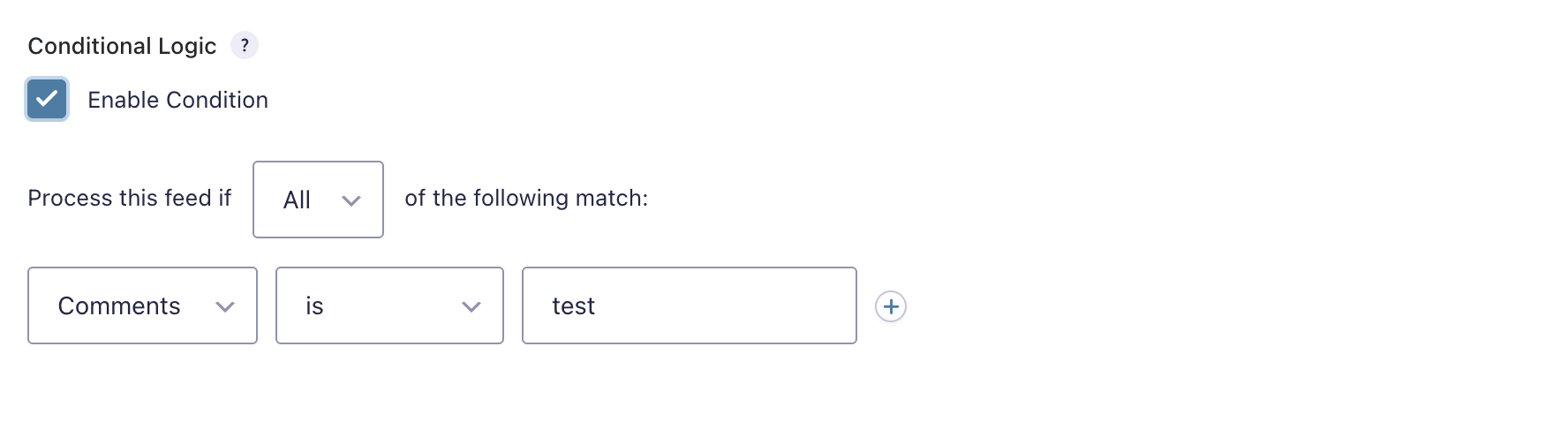
- Use Gravity Forms conditional logic to control when a feed runs.
- Supports delayed payment processing, so subscribers can be added only after payment is received.
Reliability and observability
- Processes feeds asynchronously.
- Adds entry notes when subscribers are added, updated, skipped, or fail to sync.
- Supports Gravity Forms logging for troubleshooting MailPoet API and feed processing issues.
Requirements
Platform requirements
- WordPress 6.5+
- PHP 7.4+
- Gravity Forms 2.9.24+
External requirements
- MailPoet plugin installed and activated on the same WordPress site.
- MailPoet setup completed, including initial list setup.
- At least one MailPoet list available for feed configuration.
Installation
- Upload the plugin folder to
/wp-content/plugins/gravityformsmailpoet/, or install it using Plugins → Add New → Upload Plugin. - Activate Gravity Forms MailPoet Add-On from the WordPress Plugins screen.
- Confirm that Gravity Forms and MailPoet are installed and active.
- Complete the MailPoet setup wizard if it has not already been completed.
Setup: Connecting MailPoet and Configuring Feeds
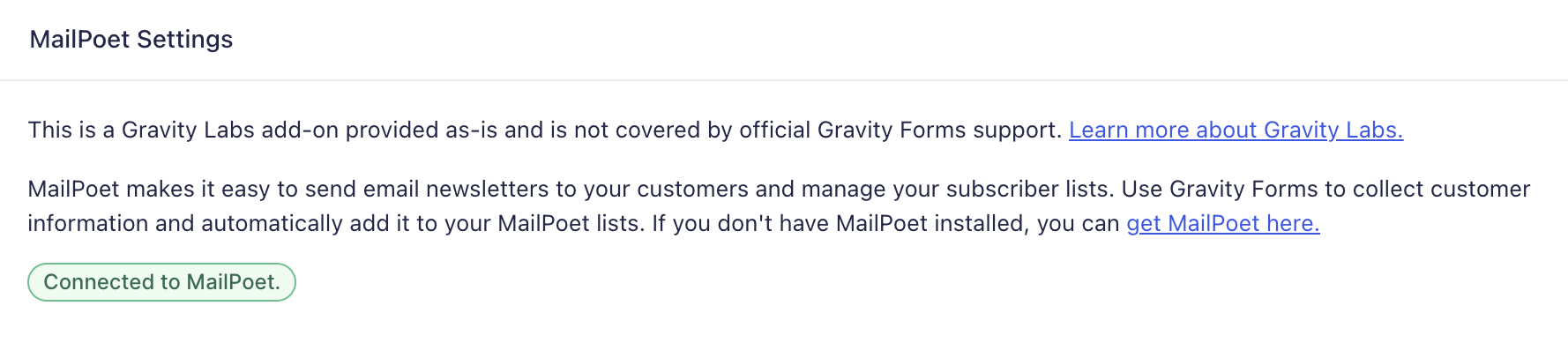
Confirm MailPoet connection
- Go to Forms → Settings → MailPoet.
- Review the connection status.
- If MailPoet is not connected:
- Confirm the MailPoet plugin is active.
- Open MailPoet and complete its setup.
- Create or confirm at least one MailPoet list exists.
No external API credentials are required. The add-on communicates with the locally installed MailPoet plugin through MailPoet’s public PHP API.
Create a MailPoet feed
- Open the target form in Forms → Edit.
- Go to Settings → MailPoet.
- Click Add New.
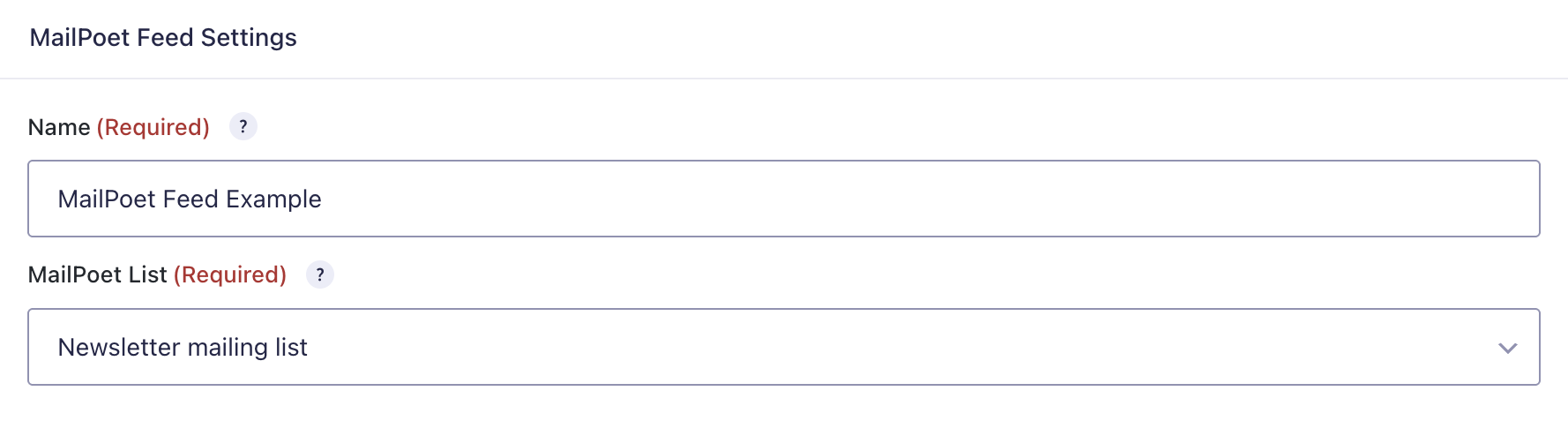
- Configure the feed:
- Name: Enter a descriptive feed name.
- MailPoet List: Select the MailPoet list subscribers should be added to.
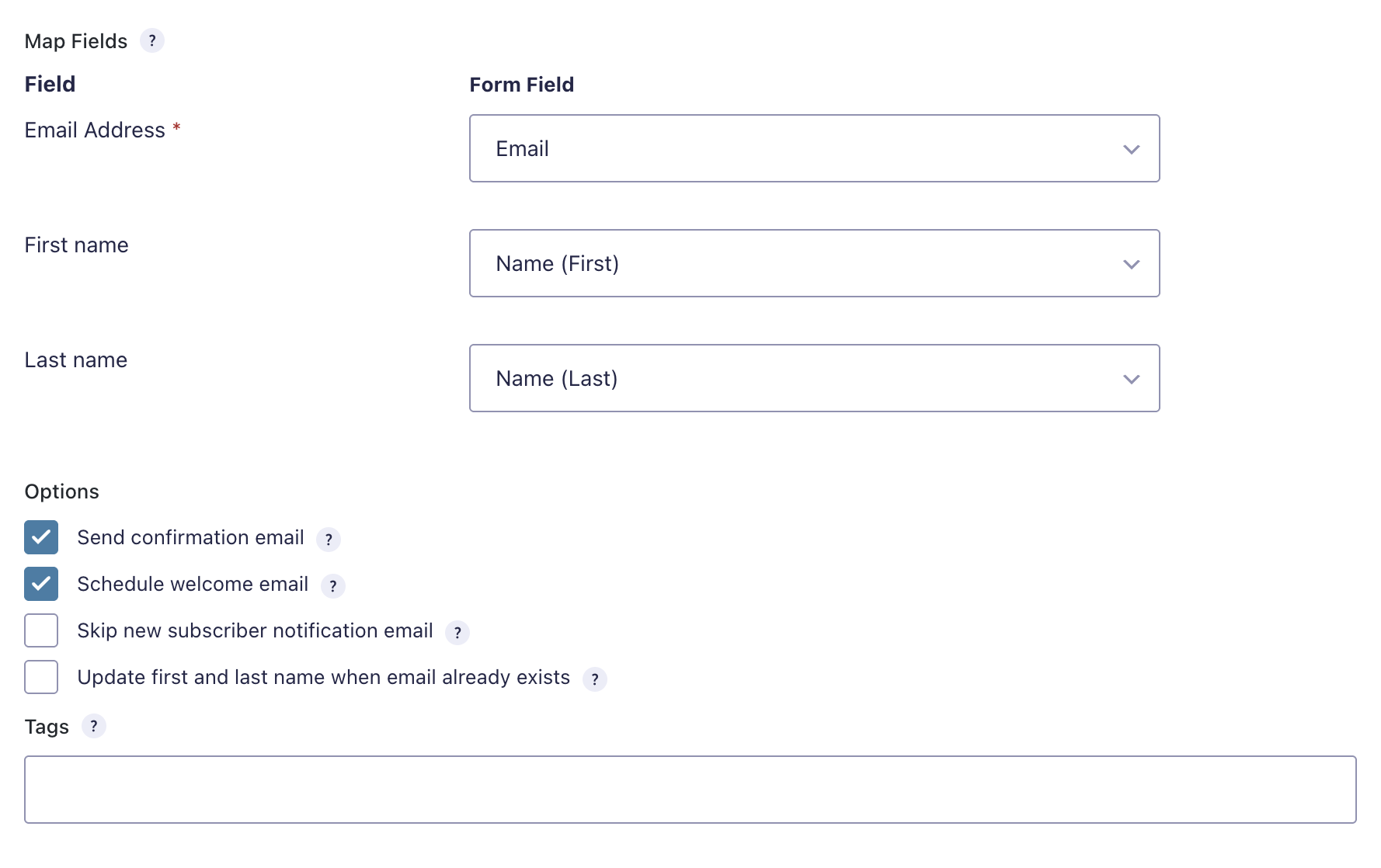
- Map Fields: Map Gravity Forms fields to MailPoet subscriber fields.
- Options: Choose confirmation, welcome email, notification, and existing subscriber behavior.
- Tags: Optionally add comma-separated MailPoet tags.
- Conditional Logic: Optionally process the feed only when entry conditions are met.
- Save the feed.
Using the Add-On
Subscribing contacts from form submissions
- Submit an entry through a Gravity Form with an active MailPoet feed.
- The add-on validates the mapped email address.
- The add-on checks whether the subscriber already exists in MailPoet.
- The subscriber is added or updated and subscribed to the configured MailPoet list.
- A Gravity Forms entry note is added with the result.
Existing subscribers
When the submitted email address already exists in MailPoet:
- The subscriber can be updated with mapped field values.
- First and last name are preserved by default unless the feed option to update names is enabled.
- Existing tags are preserved and merged with tags configured in the feed.
- Unsubscribed contacts may be resubscribed unless customized by developer filters.
Payment forms
For forms using payment add-ons, the feed can be configured to subscribe the contact only after payment is received.
Field Mapping
Required mapping
- Email Address is required.
- The mapped email field must contain a valid email address.
Optional mappings
Depending on the subscriber fields available in MailPoet, additional fields may be mapped, such as:
- First name
- Last name
- Custom MailPoet subscriber fields
Tags
Use the Tags setting to apply one or more MailPoet tags to synced subscribers.
Example:
new lead, Gravity Forms, newsletter signup
Gravity Forms merge tags may also be used where supported by the setting.
Logging & Troubleshooting
Quick checks
If subscribers are not being added to MailPoet:
- Confirm WordPress, PHP, and Gravity Forms meet the minimum requirements.
- Confirm MailPoet is installed and active.
- Confirm MailPoet setup is complete.
- Confirm at least one MailPoet list exists.
- Confirm the form has an active MailPoet feed.
- Confirm the feed has a MailPoet list selected.
- Confirm the email field is mapped and contains a valid email address.
- Confirm feed conditional logic is not preventing processing.
Check entry notes
Open the Gravity Forms entry and review notes for messages such as:
- Subscriber added.
- Subscriber updated.
- Invalid email address.
- MailPoet list was not configured.
- MailPoet API error.
- Subscriber skipped.
Enable Gravity Forms logging
- Go to Forms → Settings → Logging.
- Enable logging for the MailPoet add-on, if available.
- Reproduce the issue.
- Review logs for API initialization, subscriber lookup, sync, and error details.
Common causes of failures
- MailPoet plugin is inactive.
- MailPoet setup wizard has not been completed.
- No MailPoet list is configured on the feed.
- The mapped email address is invalid or empty.
- Required MailPoet subscriber fields are not mapped.
- MailPoet rejects the subscriber update.
- Conditional logic prevents the feed from running.
- Payment has not yet been received for delayed payment feeds.