

Overview
The Calendly add-on automatically generates a personalized, single-use Calendly booking link when a visitor submits a Gravity Form. Add the {calendly_url} merge tag to a confirmation message or redirect to invite qualified leads, customers, or applicants to schedule immediately—without manually sending follow-up links.
Choose a Calendly event type for each feed, prefill the booking page with submitted details, and use Gravity Forms conditional logic to control who receives an invitation. The result is a faster, more personalized path from form submission to confirmed appointment.
Key Benefits
- Move visitors directly from form submission to scheduling
- Generate a unique, single-use booking link for each entry
- Prefill invitee details for a smoother booking experience
- Control link generation with Gravity Forms conditional logic
- Create different scheduling workflows for different forms or audiences
- Monitor link-generation results from the entries list
- Connect with Calendly using a Personal Access Token—no OAuth application required
How It Works
Connect the add-on to Calendly with a Personal Access Token, then create a Calendly feed for your Gravity Form. Select the event type visitors should book and optionally map form fields to the Calendly booking page.
When an entry is submitted and the feed’s conditions are met, the add-on:
- Requests a new single-use scheduling link from Calendly.
- Adds mapped details such as the invitee’s name, email address, and custom-question answers.
- Saves the generated URL to the Gravity Forms entry.
- Makes the URL available through the
{calendly_url}merge tag. - Displays the personalized booking link in the form confirmation or redirects the visitor directly to Calendly.
Because the link is generated before the confirmation is displayed, visitors can continue from submitting the form to choosing an appointment time in one seamless workflow.
If Calendly cannot generate a link, the Gravity Forms entry is still saved normally, and administrators can review the failure status from the entries list.
Please log in to access this content. Log in
Requirements
- WordPress 6.5+
- PHP 7.4+
- Gravity Forms 2.9+
- Gravity Forms Feed Add-On Framework
- A Calendly account
- A Calendly Personal Access Token
- At least one active Calendly event type
Changelog
0.1.0-alpha.2
2026-08-18
- Personal Access Token setting links to Calendly's API & Webhooks page.
- Refresh the translation template for the new PAT help strings.
- Show Name and Event Type on the Calendly feed list so saved feeds are visible.
0.1.0-alpha.1
2026-07-22
- Initial Labs release.
- Feed-based generation of a personalized, single-use Calendly booking link on form submission, using a Calendly Personal Access Token.
{calendly_url}merge tag for use in Redirect/Message confirmations, populated synchronously so it’s available on the same request as the submission.- View more
Documentation
Calendly Add-On Documentation
Generate a personalized, single-use Calendly booking link when a Gravity Forms entry is submitted, then expose the link to confirmations through the {calendly_url} merge tag.
Key Features
- Generate a single-use Calendly scheduling link for each qualifying form submission
- Select a Calendly event type independently for each form feed
- Add multiple Calendly feeds to a form
- Use Gravity Forms conditional logic to control when a link is generated
- Prefill Calendly invitee fields from submitted form values:
- Full name
- First name
- Last name
- Email address
- Prefill up to 10 Calendly custom-question answers
- Expose the generated link through the
{calendly_url}merge tag - Use the merge tag in confirmation messages and redirect URLs
- Test feed configuration by generating a real single-use link from the form settings
- Refresh the available event-type list from Calendly
- Display generated and failed link statuses in the Gravity Forms entries list
- Filter entries by Calendly generation status
- Preserve form entries when Calendly link generation fails
- Cache token validation and event-type lookups to reduce API requests
Requirements
- WordPress 6.5+
- PHP 7.4+
- Gravity Forms 2.9+
- Gravity Forms Feed Add-On Framework
- A Calendly account
- A Calendly Personal Access Token
- At least one active Calendly event type
OAuth application registration and redirect URIs are not required.
Installation
- Copy the plugin directory into:/wp-content/plugins/gravityformscalendly Alternatively, upload the plugin ZIP through Plugins → Add New → Upload Plugin.
- Ensure Gravity Forms is installed and active.
- Activate Gravity Forms Calendly Add-On.
- Open Forms → Settings → Calendly.
- Enter and save a valid Calendly Personal Access Token.
Using the Add-On
A typical workflow is:
- Create a Calendly Personal Access Token.
- Save the token under Forms → Settings → Calendly.
- Edit a Gravity Form.
- Open Settings → Calendly.
- Create a new Calendly feed.
- Select the Calendly event type.
- Optionally map form fields to Calendly invitee fields or custom questions.
- Optionally configure conditional logic.
- Save the feed.
- Use Send Test to Calendly to verify the configuration.
- Add
{calendly_url}to the form confirmation.
When the form is submitted, the add-on generates the link before Gravity Forms renders the confirmation. This allows the merge tag to resolve during the initial submission request.
Plugin Settings
Location:
Forms → Settings → Calendly
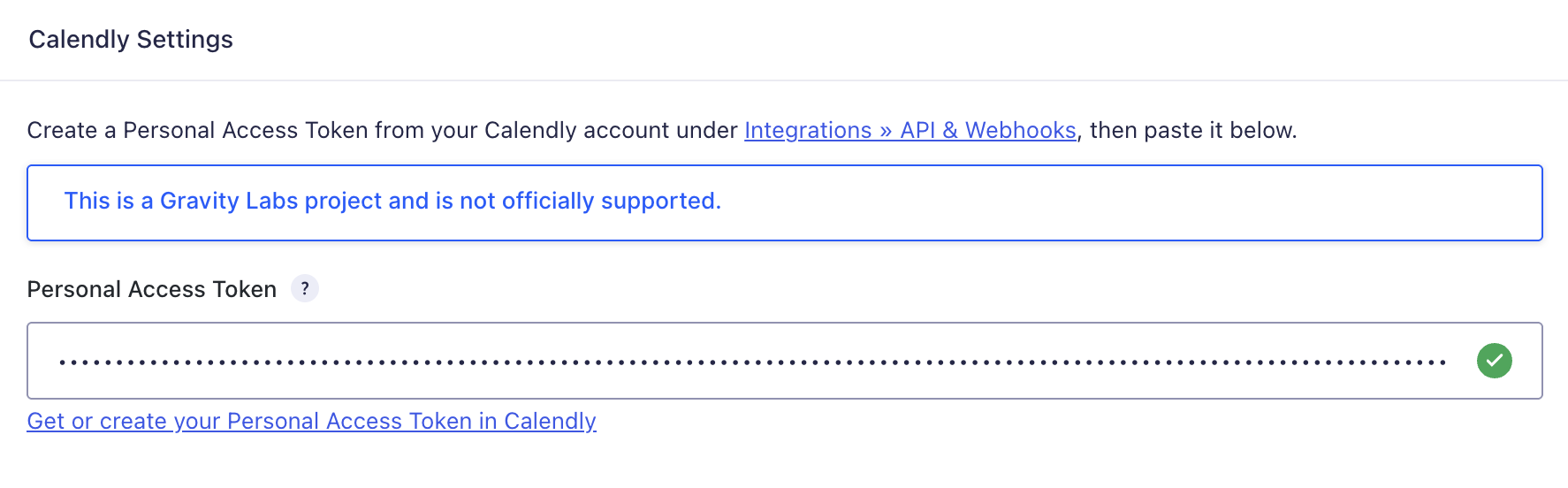
Personal Access Token
The Personal Access Token authenticates requests to the Calendly v2 API.
Create a token in Calendly under:
Integrations → API & Webhooks → Personal Access Tokens
The settings page validates the token against the authenticated Calendly user endpoint and displays a success or failure indicator.
The token is used only for server-side API requests and is not exposed to form visitors. A valid token must be configured before Calendly feeds can be created.
Per-Form Feed Settings
Location:
Form Settings → Calendly
Each form can contain one or more Calendly feeds.
Feed Name
A descriptive name used to identify the feed in Gravity Forms.
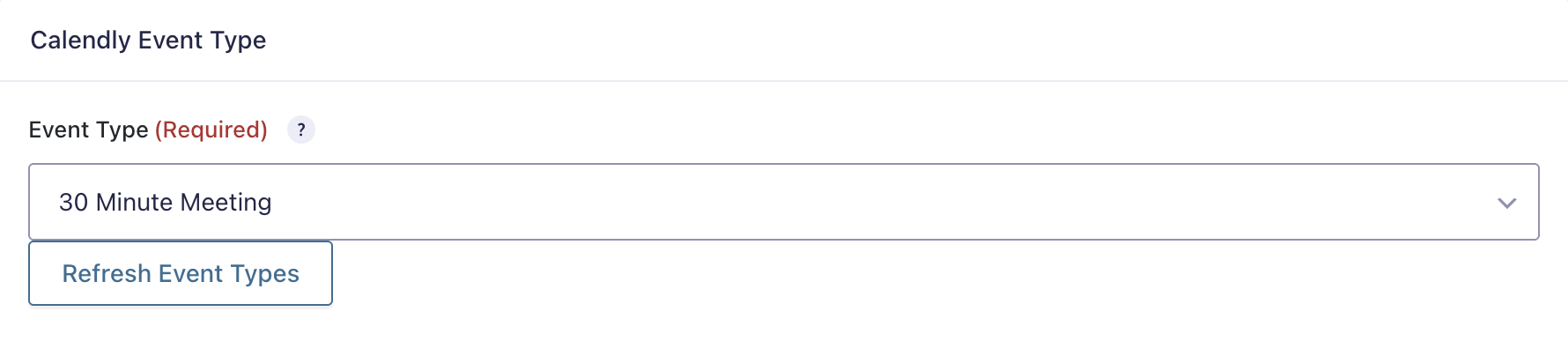
Event Type
Select the active Calendly event type for which the add-on should generate a booking link.
The list contains up to 100 active event types owned by the authenticated Calendly user.
Use Refresh Event Types when an event type was recently created or updated in Calendly.
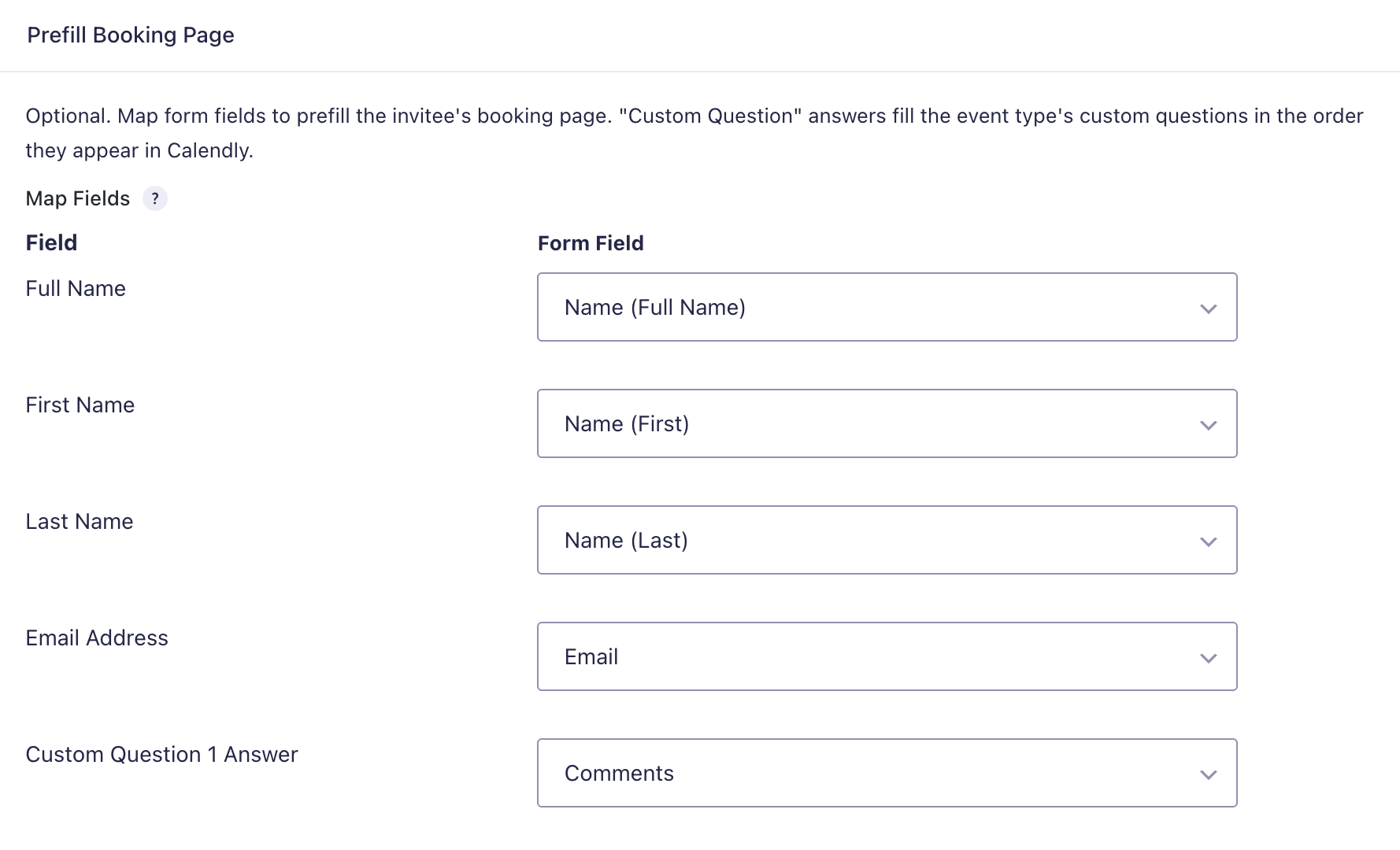
Prefill Booking Page
Optionally map Gravity Forms fields to Calendly booking-page parameters.
Available mappings include:
- Full Name
- First Name
- Last Name
- Email Address
- Custom Question 1 Answer
- Custom Question 2 Answer
- Custom Question 3 Answer
- Custom Question 4 Answer
- Custom Question 5 Answer
- Custom Question 6 Answer
- Custom Question 7 Answer
- Custom Question 8 Answer
- Custom Question 9 Answer
- Custom Question 10 Answer
Custom-question mappings correspond to the order in which the questions appear on the Calendly event type.
Blank mapped values are omitted from the booking URL.
Conditional Logic
Conditional logic controls whether the feed runs for a submitted entry.
For example, a form can generate a Calendly link only when:
- A visitor selects a consultation option
- A lead meets qualification criteria
- A particular product or service is selected
- Consent is provided
If the feed conditions are not satisfied, no Calendly link is generated.
Send Test
Send Test to Calendly creates a real, single-use scheduling link for the selected event type.
For a saved feed, the test uses the most recent form entry when available so that prefill mappings can be tested. If the form has no entries, representative sample values are generated.
Because the test creates a real single-use link, each test consumes one Calendly scheduling link.
Confirmation Merge Tag
The add-on registers:
{calendly_url}
Use this merge tag anywhere Gravity Forms processes confirmation merge tags.
Message Confirmation
<p>Your request was received.</p>
<p><a href=”{calendly_url}”>Choose a meeting time</a></p>
Redirect Confirmation
Use the merge tag as the redirect URL:
{calendly_url}
This sends the visitor directly to their personalized Calendly booking page after submission.
If link generation fails or no Calendly feed runs, {calendly_url} resolves to an empty string.
Link Generation Behavior
When an applicable feed is processed:
- The add-on retrieves the configured Personal Access Token.
- It validates that an event type is selected.
- It requests a scheduling link from the Calendly v2 API.
- Calendly creates the link with
max_event_countset to1. - Mapped form values are added to the booking URL as query parameters.
- The final URL and generation status are stored as Gravity Forms entry meta.
- Gravity Forms replaces
{calendly_url}while rendering the confirmation.
Feed processing is synchronous because the URL must exist before Gravity Forms calculates the confirmation. Calendly response time can therefore affect the form-submission response time.
Entry Information
The add-on stores the following entry metadata:
calendly_statuscalendly_booking_urlcalendly_event_type_namecalendly_generated_atcalendly_error
Entries List
A Calendly Link column can be displayed in the Gravity Forms entries list.
Possible states include:
- Generated — links to the generated Calendly booking page
- Failed — displays the recorded error as a tooltip
- No link generated — displayed when the feed did not run or no result was stored
Entries can be filtered by the Generated and Failed statuses.
Failure Behavior
Calendly failures do not prevent the Gravity Forms entry from being saved.
Failures can include:
- Missing Personal Access Token
- Invalid or unauthorized token
- Missing event type
- Deleted or unavailable Calendly resource
- Calendly permission errors
- Calendly rate limiting
- Network or HTTP errors
- A successful response that does not include a booking URL
When a failure occurs:
- The entry remains saved
- The feed error is recorded through the Gravity Forms Add-On Framework
calendly_statusis set tofailed- A human-readable error is stored in
calendly_error {calendly_url}resolves to an empty value
Known Limitations
- Authentication supports one Calendly Personal Access Token rather than OAuth
- Multi-user and multi-organization OAuth workflows are not supported
- Event-type results are limited to 100 active event types
- Generated links are single-use
- The add-on does not subscribe to Calendly webhooks
- Booking completion and cancellation are not synchronized back to Gravity Forms
- A failed Calendly request leaves the confirmation merge tag empty
- Link generation is synchronous and depends on Calendly API availability