

Overview
The Gravity Forms Flight Logs Add-On gives you a structured, database-backed way to capture, inspect, and manage Gravity Forms logs without relying on raw log files. It helps teams debug form submissions, feed processing, and related request flows by organizing logs into requests and traces, with built-in tools for filtering, sharing, stashing, and exporting log data.
Key Features
- 🛫 Structured Log Capture: Capture Gravity Forms log events and store them as structured database records for easier debugging.
- 🧭 Request and Trace Correlation: Group log activity by request and connect related requests together with trace IDs for better visibility into multi-step workflows.
- 🗂 Dedicated Log Viewer: Browse captured logs in a built-in admin interface under Forms > Logs.
- 🔎 Advanced Filtering: Filter logs by level, plugin, search term, date range, stashed status, and shared status.
- 📌 Stash Important Logs: Protect key request or trace logs from automatic cleanup so they remain available for investigation.
- 🔗 Public Share Links: Generate read-only links for traces or requests when you need to share debugging details with collaborators.
- ⏳ Configurable Link Expiration: Set public share links to expire after a selected duration or keep them active indefinitely.
- 📄 Markdown Export: Download request or trace logs as Markdown files for handoff, reporting, or archival.
- 🧠 Context-Enriched Entries: Store request metadata, timing, memory usage, and parsed log context alongside each captured message.
- 🧾 Entry-Level Trace Access: View related trace information directly from the Gravity Forms entry detail screen.
- 🧹 Automatic Retention Cleanup: Automatically remove older non-stashed logs and enforce a maximum record limit.
- ⚠️ Built for Gravity Forms Debugging: Especially useful for troubleshooting submissions, integrations, async processing, and complex request chains.
How It Works
The plugin automatically captures and organizes Gravity Forms log activity for easier debugging.
- Install and activate the Add-On.
- Enable logging under Forms > Settings > Logging.
- Use your forms and integrations as normal so Gravity Forms generates log events.
- Go to Forms > Logs to browse captured request and trace data.
- Filter, inspect, stash, share, or export logs as needed.
Please log in to access this content. Log in
Requirements
- WordPress 5.9+
- PHP 7.4+
- Gravity Forms 2.9.26+
- Gravity Forms Logging Add-On active
- Gravity Forms logging enabled for at least one plugin
Changelog
0.1.0-alpha.1
2026-06-22
- Initial release.
Documentation
Flight Logs Add-On Documentation
The Flight Logs plugin is a Gravity Labs Add-On that captures Gravity Forms log messages, enriches them with structured request context, stores them in custom database tables, and provides an admin interface for browsing, tracing, sharing, stashing, and exporting logs.
Key Features
- Capture Gravity Forms log messages through the
gform_pre_log_messagehook - Store logs in a custom database table instead of relying only on flat log files
- Generate a unique Request ID for each PHP request
- Correlate related requests with Trace IDs across form submissions and async processing
- Enrich log entries with structured context such as request details, timing, and memory usage
- Parse log messages to extract source, form ID, entry ID, and feed ID when possible
- Browse logs in a dedicated admin UI under Forms → Logs
- View individual request details and multi-request trace timelines
- Filter requests by log level, plugin, search term, date, stashed status, and shared status
- Stash important logs to protect them from automated cleanup
- Create public share links for traces or requests
- Configure expiring share links or never-expiring links
- Export request or trace logs as Markdown
- Add a Flight Logs meta box to Gravity Forms entry detail pages
- Automatically clean up old non-stashed logs based on retention settings
- Enforce a maximum record cap for stored logs
- Delete all non-stashed logs from plugin settings
Requirements
- WordPress 5.9+
- PHP 7.4+
- Gravity Forms 2.9.26+
- Gravity Forms logging enabled for at least one plugin
Optional Requirements
- WP-Cron enabled for automatic retention cleanup and share expiration cleanup
- Gravity Forms async or feed processing features if you want multi-request trace correlation
- Public sharing enabled in plugin settings if you want shareable trace or request URLs
Installation
- Upload the plugin to your
/wp-content/plugins/directory, or install it using your preferred deployment workflow. - Activate the plugin from the WordPress Plugins screen.
- Ensure the Gravity Forms Logging Add-On is installed and active.
- Enable logging for at least one plugin so Gravity Forms emits log events.
- The plugin will create its custom tables automatically during installation or upgrade.
Using the Plugin
The plugin works by listening for Gravity Forms log events and storing them as structured records.
- Activate Gravity Forms Flight Logs.
- Make sure Gravity Forms logging is enabled.
- Perform actions that generate Gravity Forms logs, such as form submissions or feed processing.
- Go to Forms → Logs to view captured requests and traces.
- Use filters, trace views, stash actions, share links, and Markdown exports as needed.
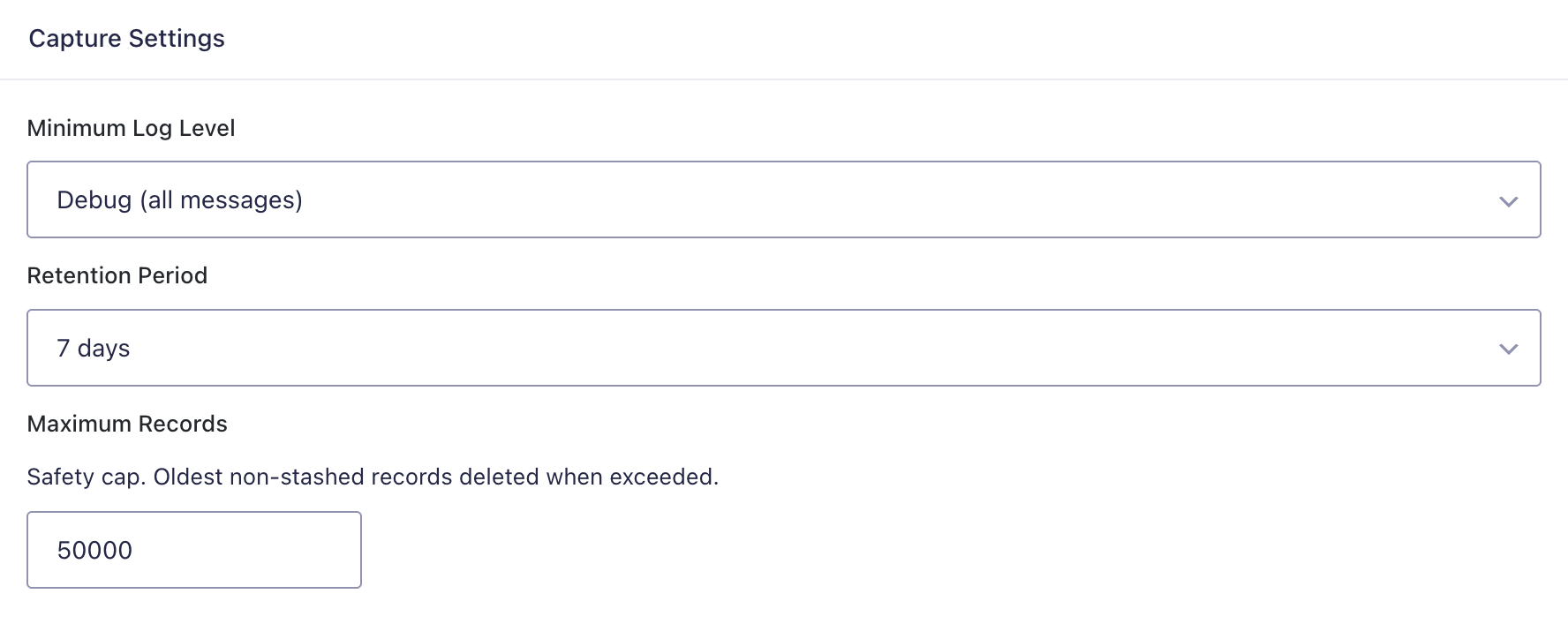
Global Plugin Settings
The plugin settings page is located at Forms → Settings → Flight Logs.
Available settings include:
- Minimum Log Level — only capture logs at or above the selected severity
- Retention Period — how long to retain non-stashed logs
- Maximum Records — safety cap for total stored log records
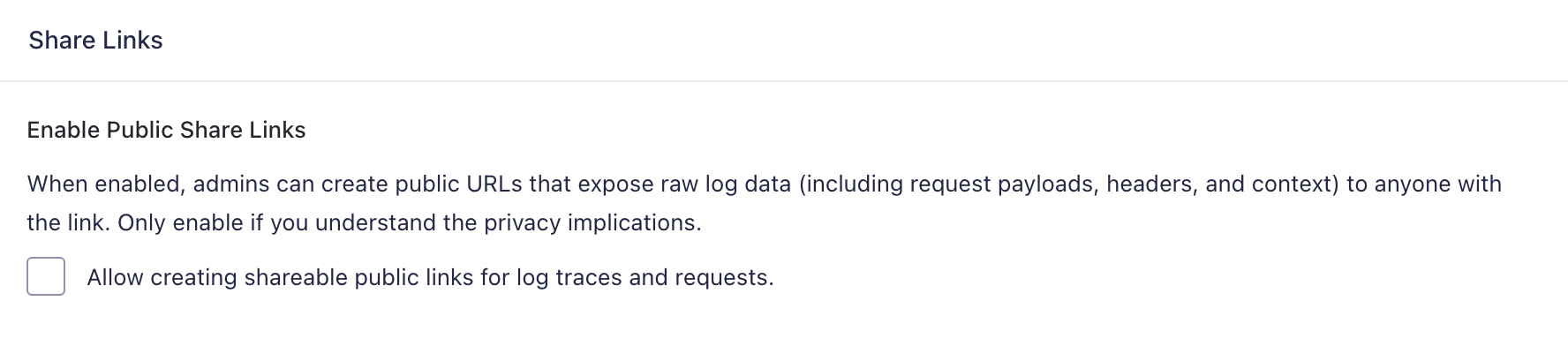
- Enable Public Share Links — allow creation of unauthenticated read-only log URLs
- Share Link Duration — controls how long public links remain valid
How It Works
Flight Logs intercepts Gravity Forms log messages via the gform_pre_log_message action.
For each message, the plugin:
- checks the configured minimum log level
- parses the message for structured metadata
- generates or resolves a Request ID
- resolves a Trace ID when available
- enriches the entry with request context
- stores the structured record in the custom log table
This allows logs to be viewed as grouped requests or as end-to-end traces spanning multiple requests.
Key Concepts
Request ID
A Request ID is generated for each PHP request. All log entries generated during that request share the same Request ID, making it easier to inspect one page load, AJAX request, cron task, or processing cycle.
Trace ID
A Trace ID correlates related activity across multiple requests. For example, a form submission may trigger later async processing, and those requests can all be tied together through the same trace.
Stashing
Stashing marks log entries as protected so they are excluded from automated retention cleanup. This is useful for preserving important debugging data.
Share Links
Share links create public read-only URLs for a trace or request. Sharing is disabled by default and must be explicitly enabled in settings.
Admin UI
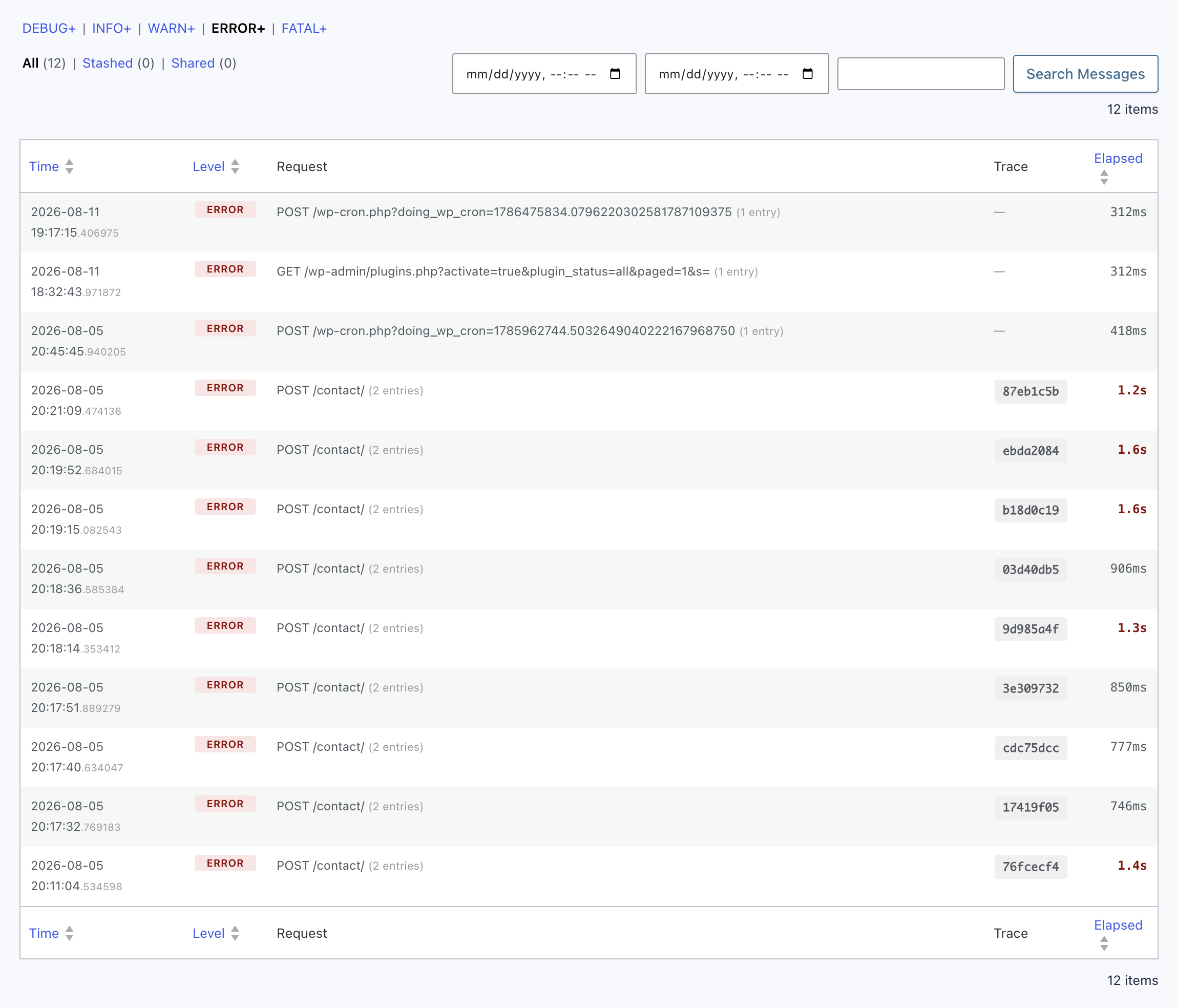
Access the log viewer at Forms → Logs.
The interface provides:
- List View — paginated and filterable request list
- Request Detail View — full log detail for a single request
- Trace Timeline View — grouped multi-request trace view
- Status Filters — All, Stashed, and Shared
- Search and Filtering — by level, plugin, message text, and date range
Entry Integration
The plugin adds a Flight Logs meta box to the Gravity Forms entry detail page.
This meta box can:
- display the trace ID associated with the entry
- link directly to the submission trace in the log viewer
- indicate when trace logs have already expired or been deleted
Log Capture Behavior
The plugin captures log messages only when Gravity Forms logging is active.
During capture, it can store:
- plugin slug
- log level
- cleaned log message
- parsed source method or class
- request ID
- trace ID
- elapsed request time
- structured context payload
Share Links
If public sharing is enabled, admins can generate a public URL for either a request or a trace.
Share link behavior includes:
- unique token generation
- optional expiration
- support for request and trace views
- lazy expiration checks
- scheduled cleanup of expired links
- automatic stashing of shared logs
Exporting Logs
The plugin supports exporting request or trace data as Markdown.
Exports can be triggered from:
- admin AJAX download actions
- public share pages when download is requested
Export filenames use a format similar to:
flight-log-request-xxxxxxxx.mdflight-log-trace-xxxxxxxx.md
Retention and Cleanup
The plugin automatically removes old non-stashed logs based on configured retention settings.
Cleanup behavior includes:
- deleting records older than the retention threshold
- enforcing a maximum record count
- preserving stashed entries
- cleaning expired share links during scheduled cleanup
This cleanup is intended to run through WP-Cron on a daily schedule.
Delete Logs
The settings page includes a Danger Zone section.
From there, authorized users can:
- see the current total record count
- delete all non-stashed log entries
- preserve stashed entries during deletion
Public Share Page Behavior
When a valid share token is present in the URL, the plugin can render a public read-only trace or request page without requiring WordPress authentication. However, please bear in mind that log files can sometimes capture and expose sensitive information.
If sharing is disabled, the token is invalid, or the link has expired, the public view is not shown.
Uninstallation
When the plugin is deleted through WordPress:
- The custom log table is dropped.
- The custom shares table is dropped.
- Plugin settings and version options are removed.
- The cleanup cron event is unscheduled.
Notes and Limitations
- This is a Gravity Labs Add-On and is marked experimental
- It is not covered by standard Gravity Forms support
- Message parsing is heuristic and depends on current log message conventions
- Log capture depends on Gravity Forms logging being enabled
- Public share links may expose raw diagnostic data and should be used carefully
- Automatic cleanup depends on WP-Cron running correctly
- Trace correlation is strongest when entries or lifecycle hooks provide enough information to resolve trace IDs
Troubleshooting
If logs are not appearing as expected:
- Confirm Gravity Forms is installed and active
- Confirm logging is enabled under Forms → Settings → Logging
- Confirm the plugin’s minimum log level is not filtering out expected messages
- Generate a new form submission or other Gravity Forms activity to create log events
- Check that the custom log tables were created successfully
- Confirm WP-Cron is working if retention cleanup or share expiration cleanup is expected
- If trace links are missing on entries, confirm logging was active during submission
- If public shares are not working, confirm sharing is enabled in plugin settings