

Overview
The Gravity Forms Giveaway Add-On lets you run randomized winner drawings directly from Gravity Forms entries inside WordPress. Instead of exporting submissions to a spreadsheet or using a third-party drawing tool, you can configure eligible entry rules, draw a set number of winners, confirm results, and track draw history right from the Gravity Forms admin.
Key Features
- 🎉 Run Drawings Inside Gravity Forms: Select winners directly from form entries without exporting data to an external app.
- 🧾 Per-Form Giveaway Configuration: Enable giveaway mode on individual forms and tailor settings for each one.
- ✅ Qualifying Entry Rules: Define which fields must contain values for an entry to qualify for the draw.
- 👤 Custom Winner Display Names: Choose which fields are used to build the winner name shown in the drawing interface.
- 🔢 Multiple Winners Per Round: Set how many winners should be selected in each drawing round.
- 📅 Optional Date Range Filtering: Limit the eligible pool to entries submitted within a specific timeframe.
- 🎲 Randomized Winner Selection: Draw winners from active, eligible, not-yet-drawn entries using built-in randomization methods.
- 🔐 Secure Randomization Option: Choose between standard PHP selection or a cryptographically secure method for stronger randomness.
- 🚫 No Duplicate Winners: Previously drawn entries are automatically excluded from future rounds for the same form.
- 🙋 Winner Confirmation Tracking: Mark winners as confirmed or no-show after the draw to keep an accurate event record.
- 🕘 Draw History by Form: Review previous rounds with timestamps, winner names, and confirmation status.
- ⚡ Quick Access from the Forms List: Launch drawings faster with a Run Giveaway action on enabled forms.
- 🧪 Built for Giveaway Workflows: Ideal for promotions, live events, prize drawings, and other entry-based selection workflows managed through Gravity Forms.
How It Works
The plugin turns Gravity Forms entries into a manageable drawing pool inside the WordPress admin.
- Install and activate the add-on.
- Edit a form and enable giveaway mode in Settings > Giveaway.
- Select qualifying fields, display name fields, and the number of winners to draw.
- Optionally apply a date range filter to limit the entry pool.
- Open Forms > Giveaway Drawing.
- Run the drawing to randomly select winners from eligible entries.
- Confirm winners and save the draw record.
- Review draw history for that form anytime.
Please log in to access this content. Log in
Requirements
- WordPress 6.0+ minimum requirement in the add-on settings logic
- WordPress 6.5+ declared in the plugin header
- PHP 7.4+
- Gravity Forms 2.7+
- Gravity Forms Add-On Framework available
- Gravity Forms form entries available for the target form
Changelog
0.1.0-alpha.1
2026-07-15
- Initial release.
Documentation
Giveaway Add-On Documentation
The Gravity Forms Giveaway Add-On is a Gravity Forms Labs plugin that lets administrators run randomized winner drawings directly from Gravity Forms entries inside the WordPress admin.
Key Features
- Enable giveaway functionality on a per-form basis
- Configure qualifying fields that every eligible entry must contain
- Configure display name fields used to show winner names in the draw UI
- Set the number of winners to draw per round
- Optionally limit the eligible entry pool by submission date range
- Run drawings directly from Forms → Giveaway Drawing
- Randomly select winners from active, eligible, not-yet-drawn entries
- Prevent previously drawn entries from being selected again for the same form
- Support two randomization methods:
- PHP-based selection
- Cryptographically secure selection using
random_int()
- Confirm winners after the draw, such as marking attendees present or no-show
- Save draw results to a custom database table
- View draw history by form, including round number, timestamp, and confirmation status
- Add a Run Giveaway action to enabled forms in the forms list
- Show an admin notice when enabled forms have potentially stale date filters
Requirements
- WordPress 6.0+ minimum requirement in the add-on settings logic
- WordPress 6.5+ declared in the plugin header
- PHP 7.4+
- Gravity Forms 2.7+
- Gravity Forms Add-On Framework available
- Gravity Forms form entries available for the target form
Installation
- Copy the plugin into your WordPress plugins directory as
gravityformsgiveaway. - Activate Gravity Forms Giveaway Add-On in WordPress admin.
- Ensure Gravity Forms is installed and active.
- On activation, the plugin creates its custom draw history table automatically.
- Edit a Gravity Form and open Settings → Giveaway to configure the form.
- Open Forms → Giveaway Drawing to run a drawing.
Using the Plugin
The plugin works by letting you configure giveaway rules for a specific form, then drawing from that form’s entries in the admin UI.
Typical workflow:
- Activate the plugin.
- Edit a form and open Settings → Giveaway.
- Enable giveaway mode for the form.
- Select:
- display name fields
- qualifying fields
- winners per draw
- optional date range filter
- Save the form settings.
- Open Forms → Giveaway Drawing.
- Select the form and click Draw Winners.
- Review the selected winners.
- Mark winners as confirmed if needed.
- Save the draw record.
- Review previous rounds in Draw History.
Plugin Settings
The plugin includes global settings for giveaway behavior.
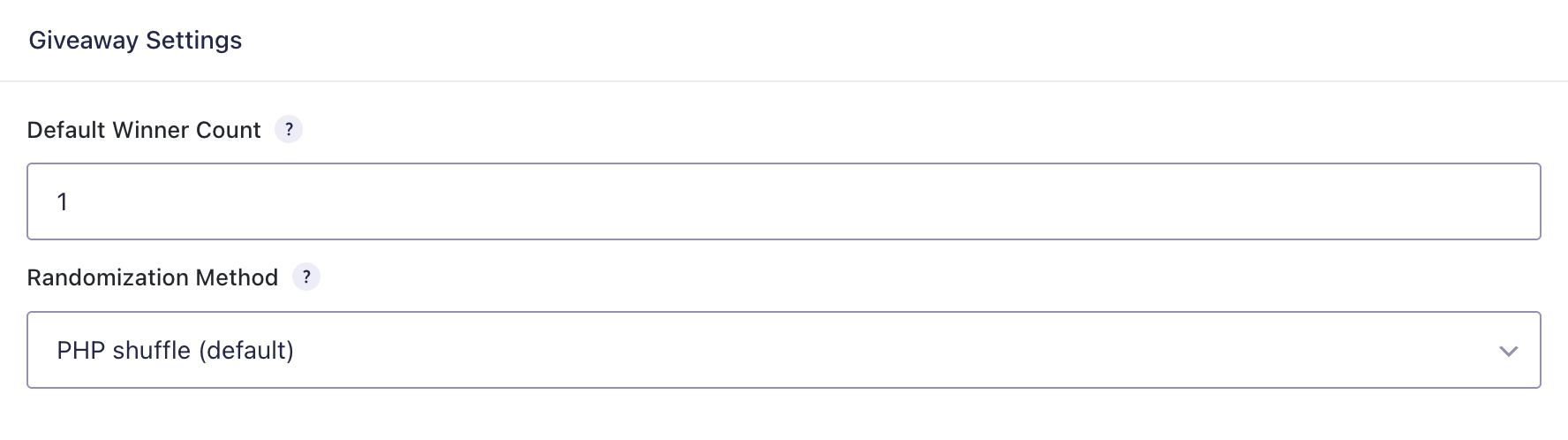
Location:
- Forms → Settings → Giveaway (plugin settings area through the Gravity Forms Add-On framework)
Available settings include:
Default Winner Count
Default number of winners per draw. This can be overridden at the form level.
Randomization Method
Controls how winners are selected from the eligible pool.
Options:
- PHP shuffle (default) — standard PHP random selection
- Cryptographically secure (slower) — uses secure randomness for selection
Per-Form Settings
Each form can be configured independently.
Location:
- Form Settings → Giveaway
Available form settings include:
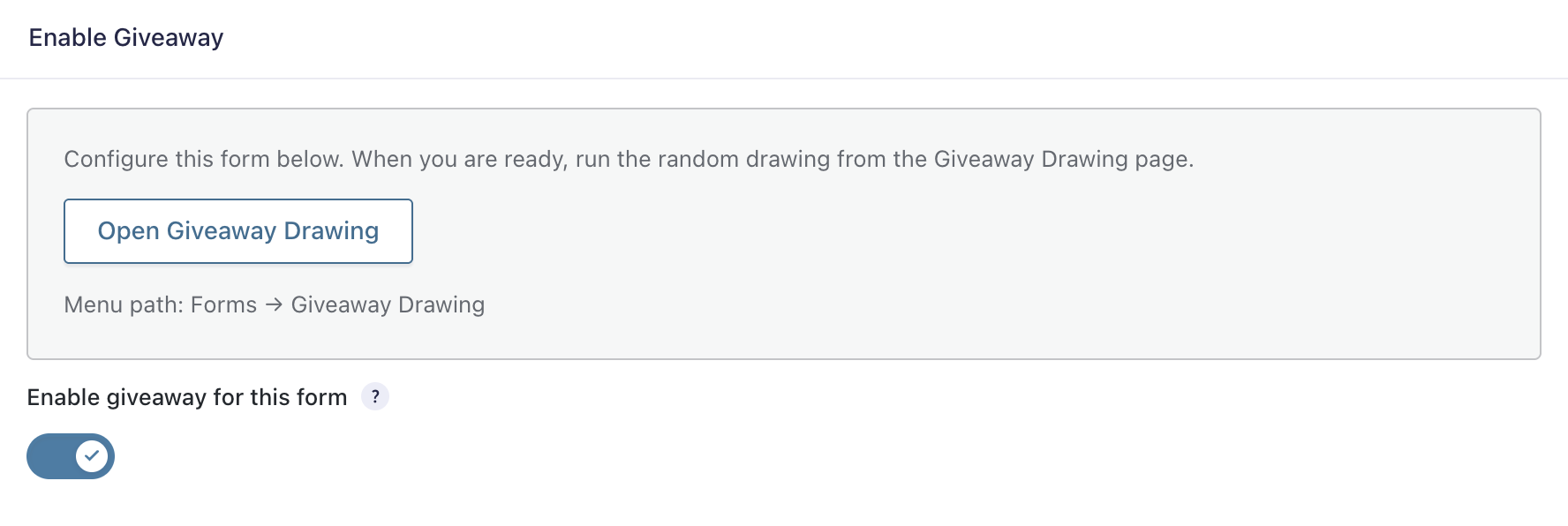
Enable Giveaway
Turns giveaway mode on for that form.
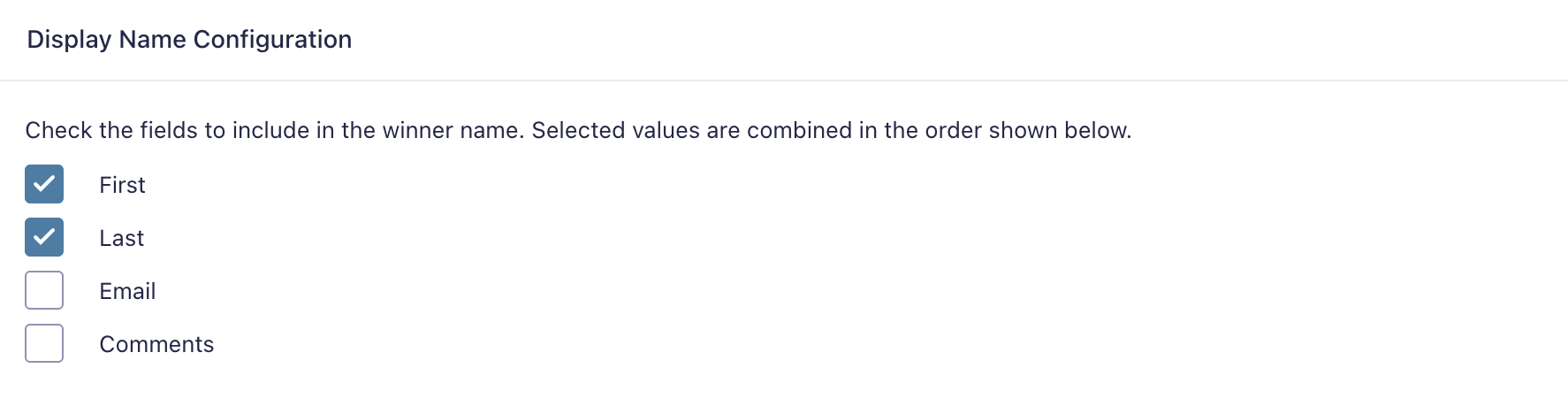
Display Name Configuration
Choose which fields or sub-inputs should be combined to display the winner’s name in the drawing UI.
Examples:
- First Name + Last Name
- Single text field
- Name field sub-inputs
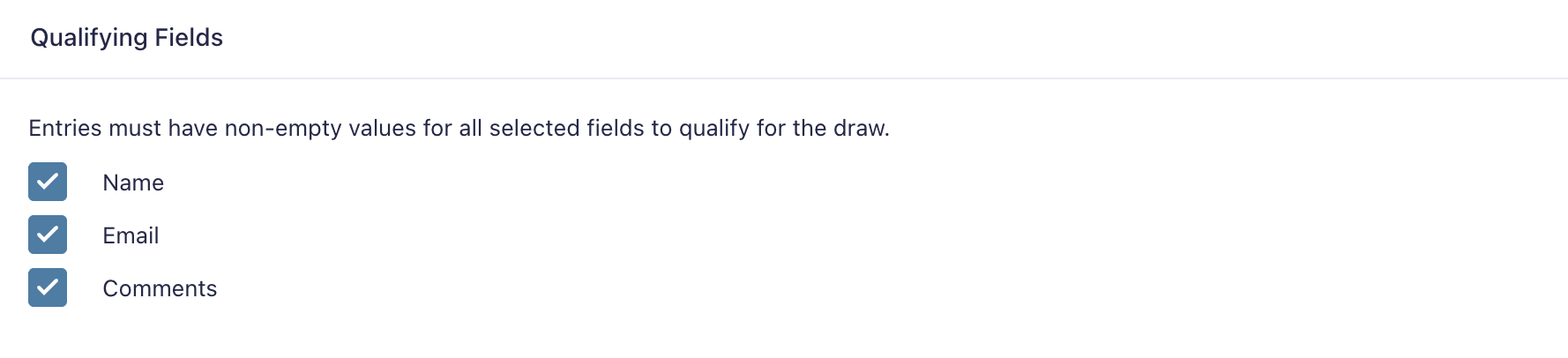
Qualifying Fields
Entries must contain non-empty values for all selected qualifying fields to be eligible.
Winners Per Draw
The number of winners selected each round.
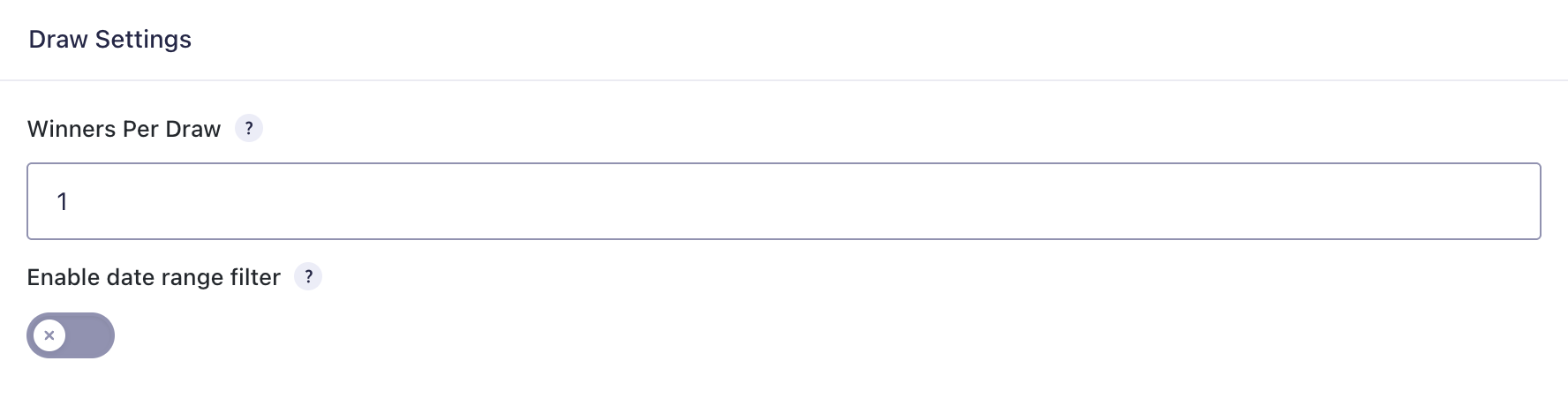
Date Range Filter
Optional filter to include only entries submitted within a configured start and end date.
Fields:
- Start Date
- End Date
Admin UI
The main drawing interface is available at:
- Forms → Giveaway Drawing
The interface provides:
Form Selector
If no form is selected, admins can choose from forms that have giveaway enabled.
Drawing Panel
For a selected form, the page shows:
- eligible entry count
- previously drawn count
- winners per draw
- active date filter summary
- validation or diagnostic messages
Draw Controls
If eligible entries remain, admins can click Draw Winners.
If no eligible entries remain, the draw button is disabled and the UI explains why.
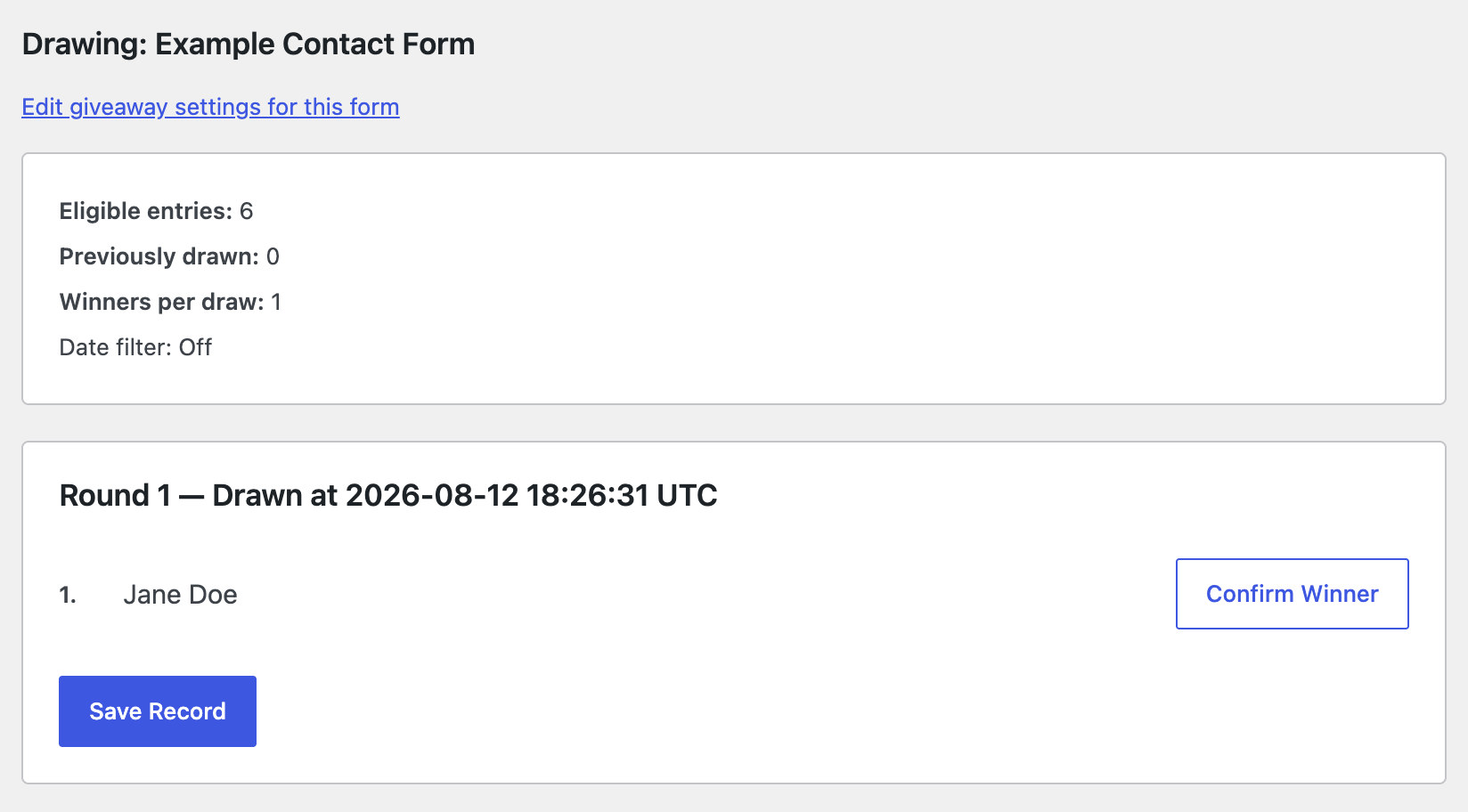
Draw Results
Results are loaded via AJAX and displayed before saving.
Draw History
Saved rounds are shown for each form with:
- round number
- draw timestamp
- winner display names
- confirmation status
How Eligibility Works
An entry is eligible only if all of the following are true:
- the form has giveaway enabled
- qualifying fields are configured
- display name fields are configured
- the entry is an active Gravity Forms entry
- the entry has not already been drawn for that form
- the entry has non-empty values for every configured qualifying field
- the entry falls within the configured date range if date filtering is enabled
Compound Field Support
Compound fields such as Name are handled specially.
For qualifying checks, the plugin can inspect sub-input values rather than only the parent field ID. This matters because Gravity Forms stores many compound values on sub-input IDs like:
1.31.6
If a qualifying field is compound, visible sub-inputs must contain values for the entry to qualify.
Random Drawing Behavior
When a draw runs:
- The plugin builds the eligible pool from active entries.
- Previously drawn entry IDs are excluded.
- The pool is filtered by qualifying fields.
- The pool is filtered by date range if enabled.
- The plugin selects the requested number of winners.
- If fewer eligible entries remain than requested, it performs a partial draw and selects all remaining eligible entries.
- Winner display data is built from the configured display name fields.
- The result is returned to the admin UI.
- The draw is not permanently stored until the admin saves the record.
Randomization Methods
PHP Shuffle
Uses PHP array-based random selection.
Cryptographically Secure
Uses a Fisher-Yates style shuffle with random_int() for stronger randomness at the cost of speed.
Draw Confirmation and Saving
After winners are drawn, admins can mark whether a winner is confirmed.
Examples:
- attendee is present
- no-show
- confirmed winner
When the draw is saved, the plugin records:
- form ID
- round number
- entry ID
- display name
- draw timestamp
- confirmed status
Saved winners are then treated as already drawn and excluded from future rounds for that form.
Draw History
The plugin stores draw history per form and displays it in the admin drawing page.
Each round includes:
- round number
drawn_attimestamp- list of winners
- confirmation state per winner
If all eligible entries have already been used, the history section can also indicate that no more eligible entries remain.
Forms List Integration
For forms with giveaway enabled, the plugin adds a Run Giveaway row action in the forms list.
This provides a direct shortcut to the drawing page for that form.
Admin Notices
The plugin can show a dismissible admin notice when one or more enabled giveaway forms use date filters that may be stale or outdated.
This helps admins review giveaway forms whose date-based eligibility windows may no longer match the intended campaign period.